A powerful addon for LifeBots — the #1 bot hosting platform for Second Life

Professional Customer Support for Your Second Life Business

Turn your LifeBots avatar into a full-featured support desk. Customers message your bot, agents respond from Discord, the web, or even directly in Second Life — all synced in real-time.

A powerful addon for LifeBots — the #1 bot hosting platform for Second Life

Everything You Need for World-Class Support

From ticket creation to analytics, the Live Support addon gives your Second Life business a professional customer service system.

Bot-Powered Ticket System

  • Customers IM your bot to create support tickets
  • Type their issue, send “done” to submit
  • Automatic ticket numbering and tracking

Discord Integration

  • Tickets appear in your Discord server with Accept/End buttons
  • Private threads for each conversation
  • Two-way chat: Discord ↔ Second Life in real-time

Web Agent Portal

  • Dedicated support dashboard for your team
  • Magic link login — no passwords needed
  • Accept, transfer, and close tickets from the browser
  • Canned responses for quick replies

Customer Portal

  • Branded support page for your customers (yourname.mysl.support)
  • Customers can submit tickets and view history
  • Magic link authentication via bot IM
  • Mobile-friendly interface

Business Hours & Auto-Responses

  • Set business hours with timezone support
  • Automatic welcome messages and ticket confirmations
  • Outside-hours auto-reply so customers know when to expect help

In-World Agent Support

  • Agents manage tickets directly in Second Life via bot IM
  • Subscribe to get notified of new tickets in-world
  • Accept, reply, and close tickets without leaving SL
  • Customer messages relayed to the agent’s IM in real-time

Multi-Channel Sync

  • Messages sync across Discord, Web Portal, and SL instantly
  • Switch between channels mid-conversation without losing context
  • Full chat history available everywhere
  • Single source of truth — no duplicate or missing messages

Bot Commands

Customer Commands

  • !ticket — Start a new ticket
  • !status — Check ticket status
  • !close — Close active ticket
  • !portal — Get web portal link

Agent Commands

  • !subscribe — Get SL ticket alerts
  • !tickets — List tickets
  • !accept <id> — Accept a ticket
  • !reply <id> — Reply to a ticket
  • !endchat <id> — Close a ticket

Analytics Dashboard

  • Track ticket volume, response times, resolution rates
  • Agent performance metrics
  • Channel breakdown (Bot IM vs Web vs SL vs Discord)
  • Customer satisfaction ratings

Built for Agents and Customers

A professional support experience on both sides — from the agent dashboard to the customer portal and Discord.
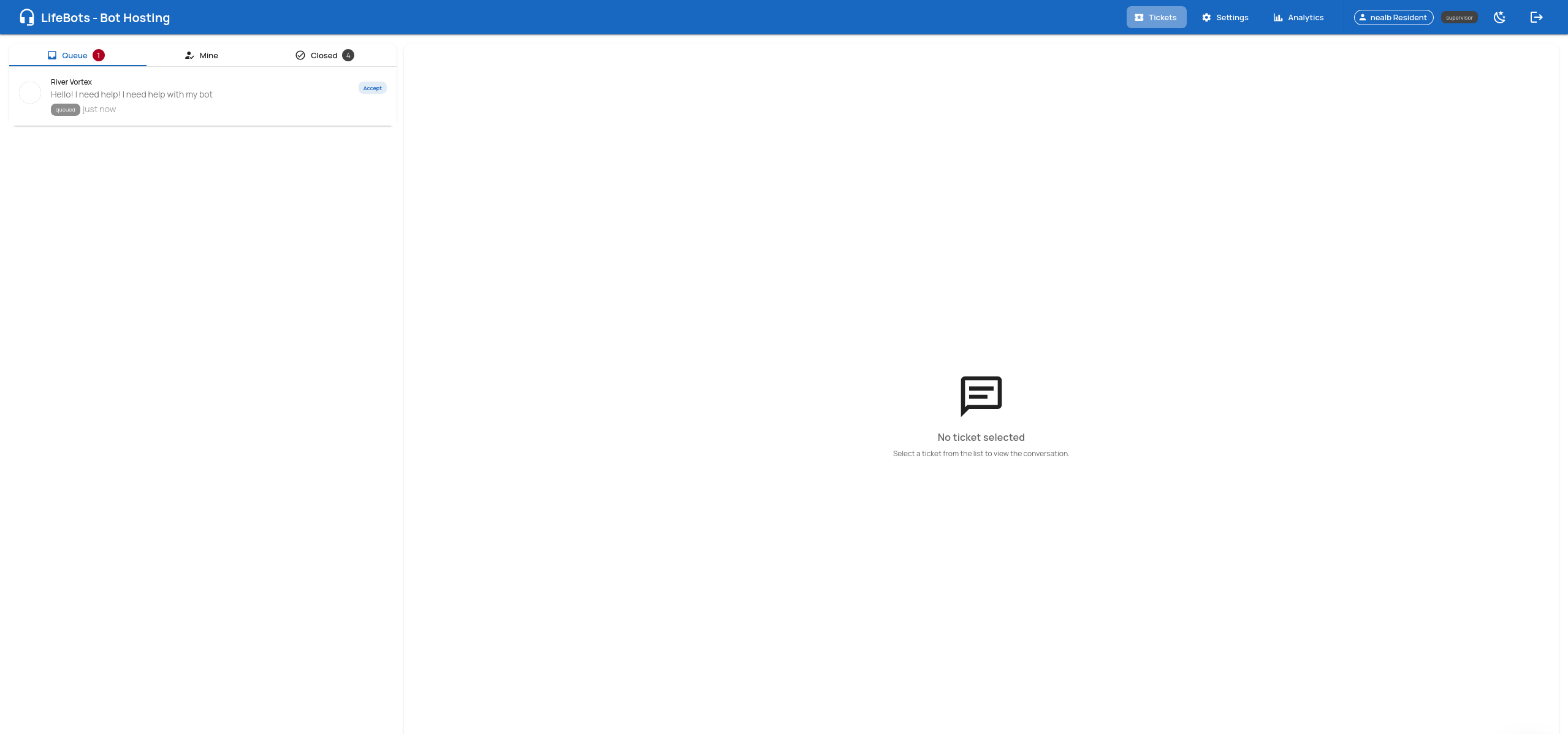
Agent Portal — ticket queue with a new incoming ticket

Ticket Queue

New tickets appear in real-time. One click to accept.
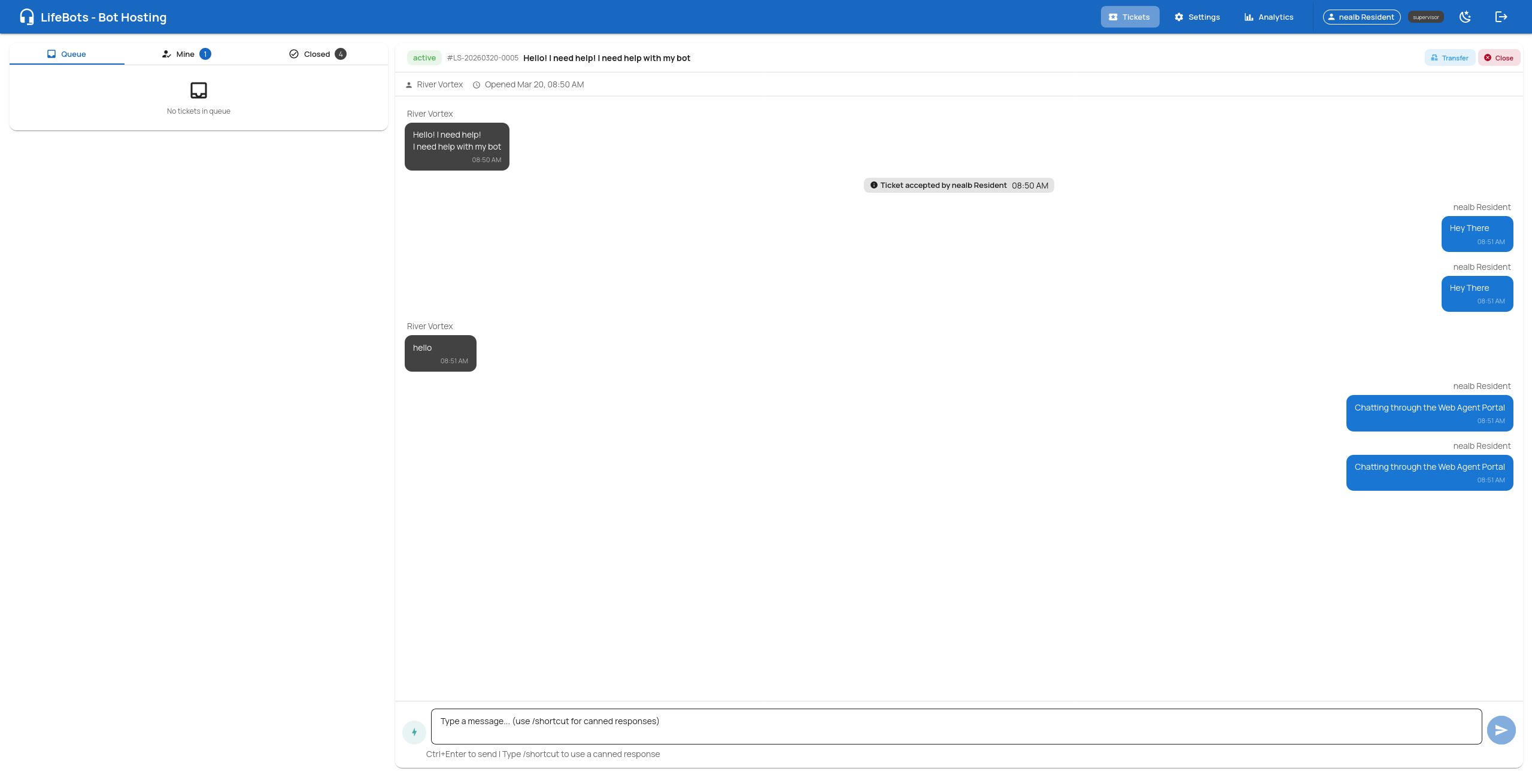
Agent Portal — live chat with a customer

Live Chat

Two-way conversation between agent and customer via the bot.
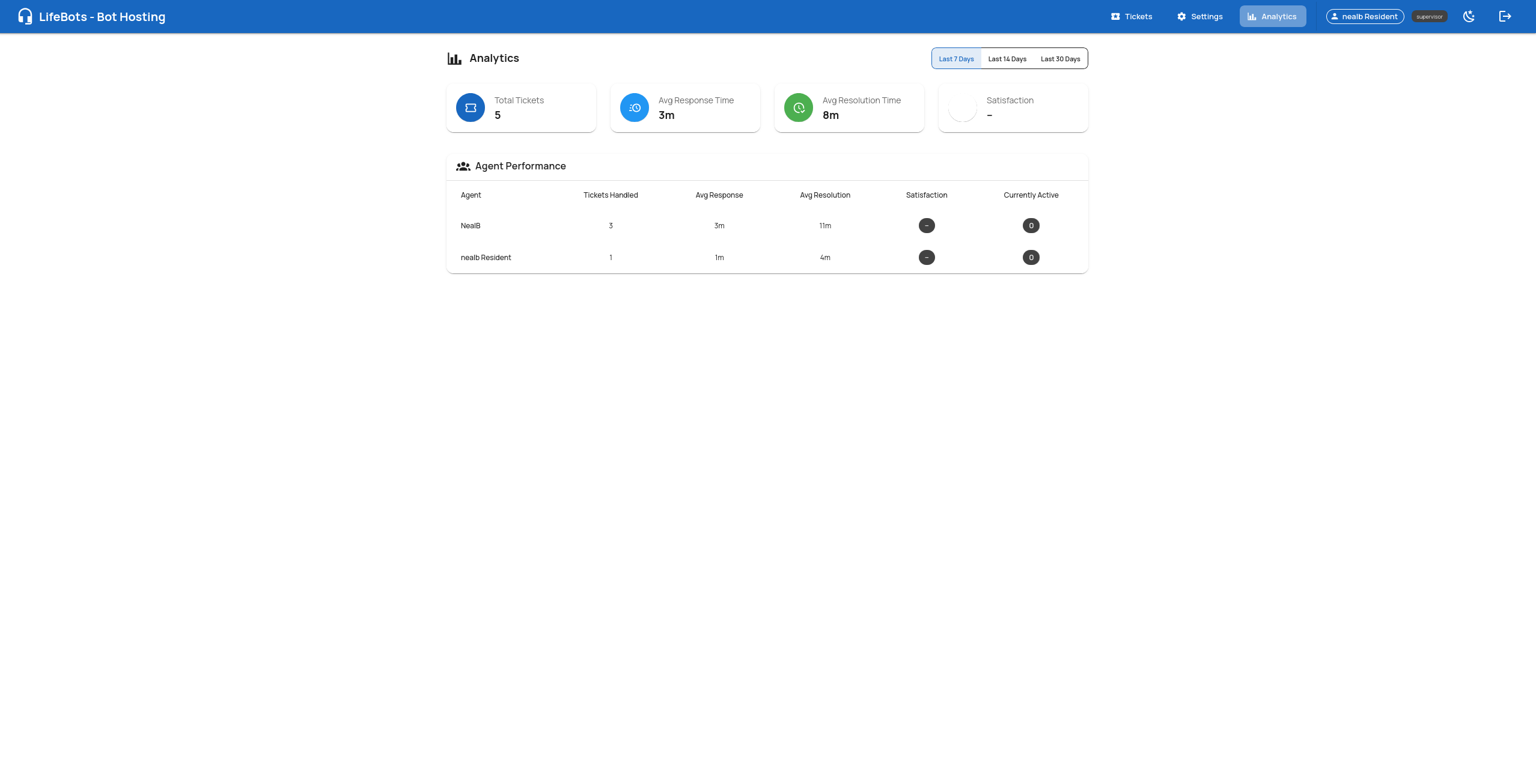
Agent Portal — analytics dashboard with metrics

Analytics

Track tickets, response times, and agent performance.
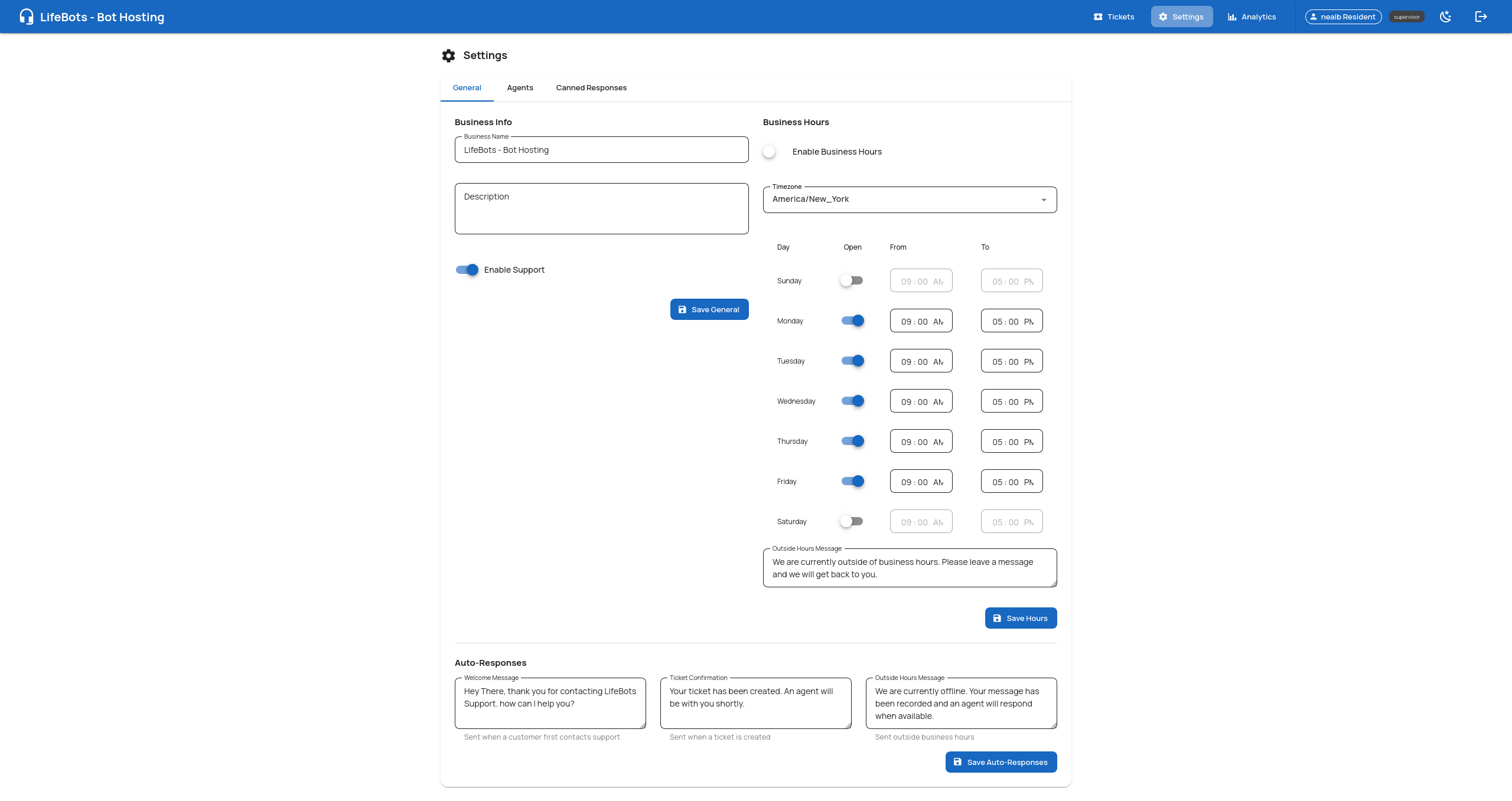
Agent Portal — settings with business hours and auto-responses

Settings

Business hours, auto-responses, and agent management.
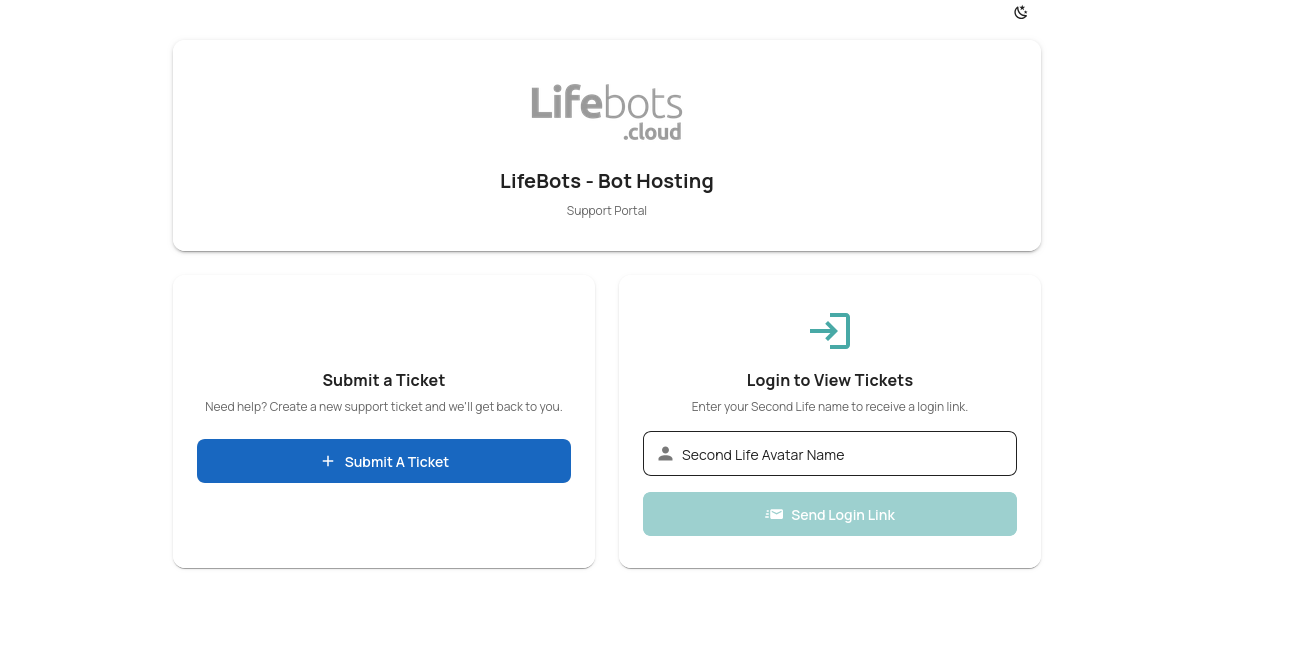
Customer Portal — submit a ticket or login

Support Home

Customers submit tickets or log in to view history.
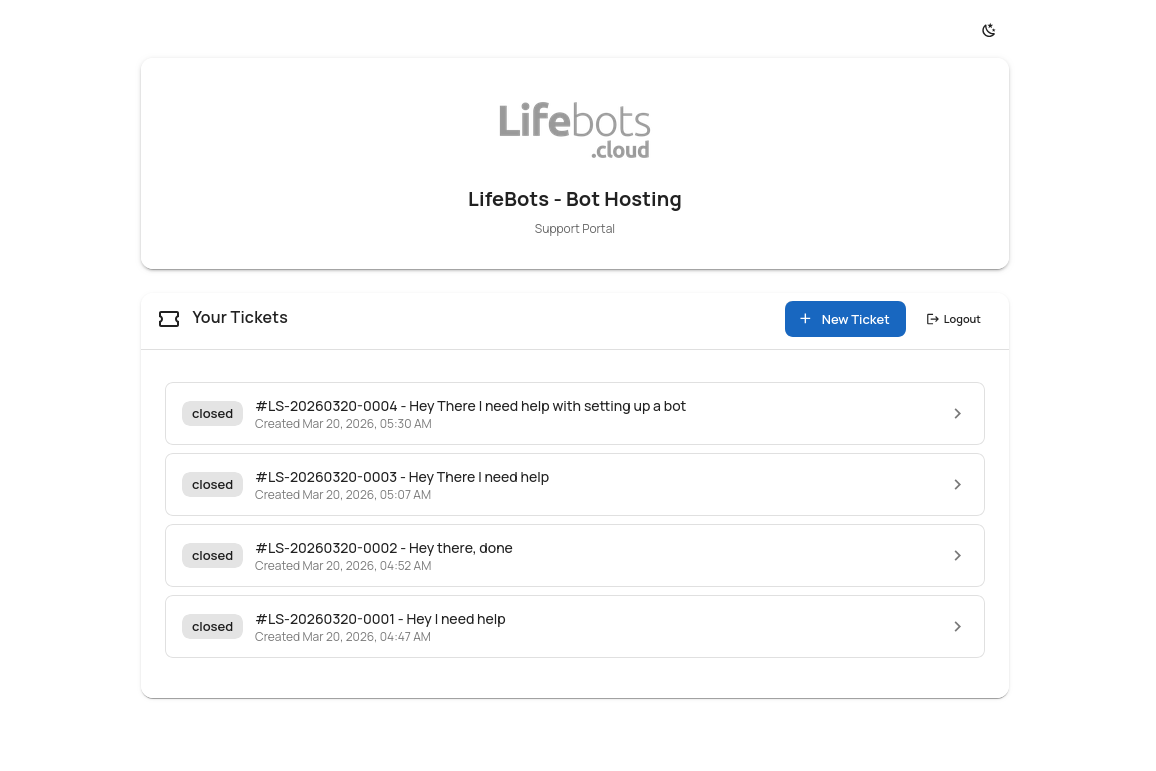
Customer Portal — ticket history list

Ticket History

Customers can view and track all their past tickets.
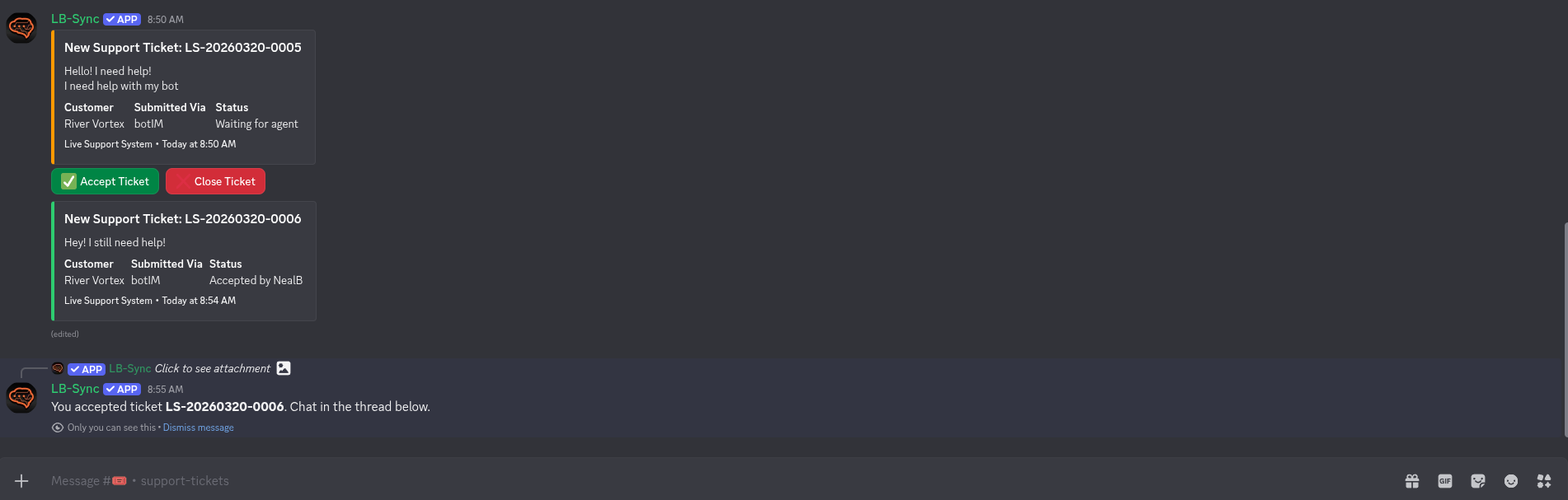
Discord — new ticket notification with Accept and Close buttons

Ticket Notifications

Tickets appear in your Discord channel with Accept / Close buttons.
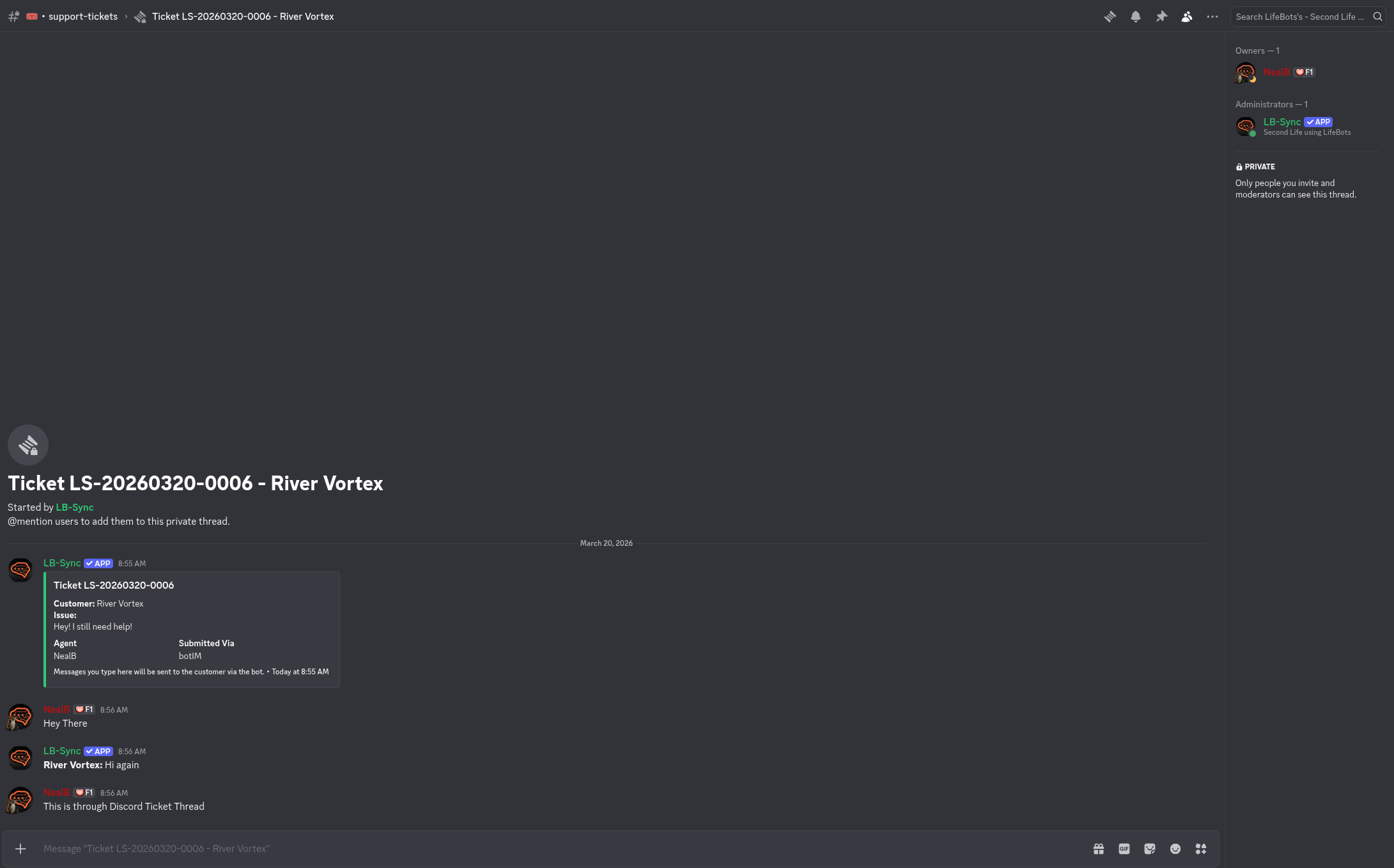
Discord — private thread for a support ticket conversation

Private Threads

Each ticket gets a private thread for the agent-customer conversation.

Up and Running in Five Simple Steps

From signup to your first support ticket in minutes. No coding required.

1

Subscribe to LifeBots

Get a bot avatar on lifebots.cloud. Choose your plan and deploy your bot into Second Life in minutes.

2

Purchase the Live Support Addon

Just L$1,499 per bot — one-time purchase. The Live Support addon works with any LifeBots bot, no recurring addon fees.

3

Configure Your Business

Set your business name, business hours, auto-response messages, and connect your Discord server.

4

Add Your Team

Invite agents via magic link. They can respond to tickets from Discord, the web portal, or directly in Second Life via bot IM — use any channel, everything stays in sync.

5

Go Live

Your customers IM the bot to get support. Tickets are created, agents are notified, and conversations happen in real-time. It’s that simple.

Simple, One-Time Pricing

Just L$1,499 per bot. No monthly addon fees. Buy once, use forever with your LifeBots subscription.

One-Time Purchase

Live Support Addon

L$1,499 per bot

One-time purchase. No monthly addon fees.

  • Unlimited tickets
  • Unlimited agents
  • Discord integration
  • Web agent portal
  • Customer portal
  • In-world agent support
  • Multi-channel sync
  • Analytics dashboard
  • Bot commands
  • Auto-responses
  • Business hours
  • Data retention
Get Started on LifeBots

Requires an active LifeBots bot subscription (sold separately on lifebots.cloud)

Frequently Asked Questions

Everything you need to know about the Live Support addon for LifeBots.

LifeBots (lifebots.cloud) is the leading bot hosting platform for Second Life. It lets you deploy and manage automated avatars with features like group management, AI chat, waypoint navigation, and now — live customer support.
Yes. The Live Support addon works with LifeBots bot subscriptions. You need at least one active bot on lifebots.cloud.
No! The Live Support addon is a one-time purchase of L$1,499 per bot. Your LifeBots bot subscription is separate and billed weekly.
Yes. Add unlimited agents. They can respond via Discord threads, the web-based agent portal, or directly in Second Life using bot IM commands. All three channels stay perfectly in sync.
Yes! Agents can type !subscribe to the bot to receive ticket notifications via IM. Then use !accept, !reply, and !endchat commands to manage tickets entirely from within Second Life. Customer messages are relayed to the agent’s IM in real-time, and replies sync back to Discord and the web portal automatically.
Tickets are queued. You can set business hours and auto-response messages so customers know when to expect help.
Yes. Each business gets a branded portal at yourname.mysl.support where customers can submit tickets, view history, and chat with agents.

Ready to Transform Your Second Life Business?

Get started with LifeBots today and add Live Support to your bot. Professional customer service for the virtual world.

Get Started on LifeBots